
Today we are launching the Steel Browser CLI and the steel-browser skill so agents can run browser workflows and return clear outcomes with markdown, screenshots, or PDFs.
Today we're launching the new Steel CLI and steel-browser skill, which brings browser automation redesigned from the ground up for agents.
Agents handle code, reasoning, and tool use well enough. Then they hit a real website and everything falls apart. Login walls, dynamic content, anti-bot systems, session state that doesn't persist. A five-minute human task becomes a twenty-minute debugging session.
This release targets that gap. It's also our first serious implementation of agent experience (AX): building tools where agents get clear inputs, predictable outputs, and failures they can recover from.
TL;DR
- New agent skill and CLI
- agent-browser integration
- Stealth: captcha solving & proxies for agents
- Run background browser sessions in parallel
What this actually does
The skill and CLI work together to make web tasks agents can finish reliably.
- Run multi-step flows through login and dynamic UI
- Pull clean markdown from cluttered pages
- Capture screenshots and PDFs as evidence
- Handle anti-bot measures and CAPTCHAs
- Maintain session state across longer runs
- Return structured outcomes you can verify
A working agent web run should be boring. Predictable, reviewable, debuggable. Agent starts a browser session via CLI, follows the skill contract, executes commands (open, snapshot, click, fill, type, wait), collects artifacts, returns status.
That's it. No heroics required.
SKILL.md: A contract, not a prompt
SKILL.md is a specification that tells an agent how to use a capability.
For web tasks, it tells the agent:
- When to invoke the skill
- How to execute the workflow
- What shape the output takes
- How to handle blockers
The goal is simple: less prompt glue, more repeatable behavior. Instead of rebuilding web handling for every project, your team adopts one stable path that carries across agents and harnesses.
What the steel-browser skill handles
This steel-browser skill is designed for autonomous web tasks where basic fetch tools fall short, often failing across many sites due to blocking, complexity, and other limitations.
Anti-bot and CAPTCHA flow
When automation is blocked, agent can use these patterns:
steel browser start --session checkout-bot-check --session-solve-captcha
steel browser open https://example.com
steel browser captcha solve --session checkout-bot-check
For automation-first sessions:
steel browser start --session checkout-bot-check --stealthThis is the difference between an agent that reports what it can't do and one that finishes the job.
The new Steel Browser CLI workflow
The CLI is the operator layer. It handles session lifecycle and gives agents and humans a clean interface for browsing work.
Session lifecycle, cloud or local
The CLI manages sessions and gives agents and humans a clean interface.
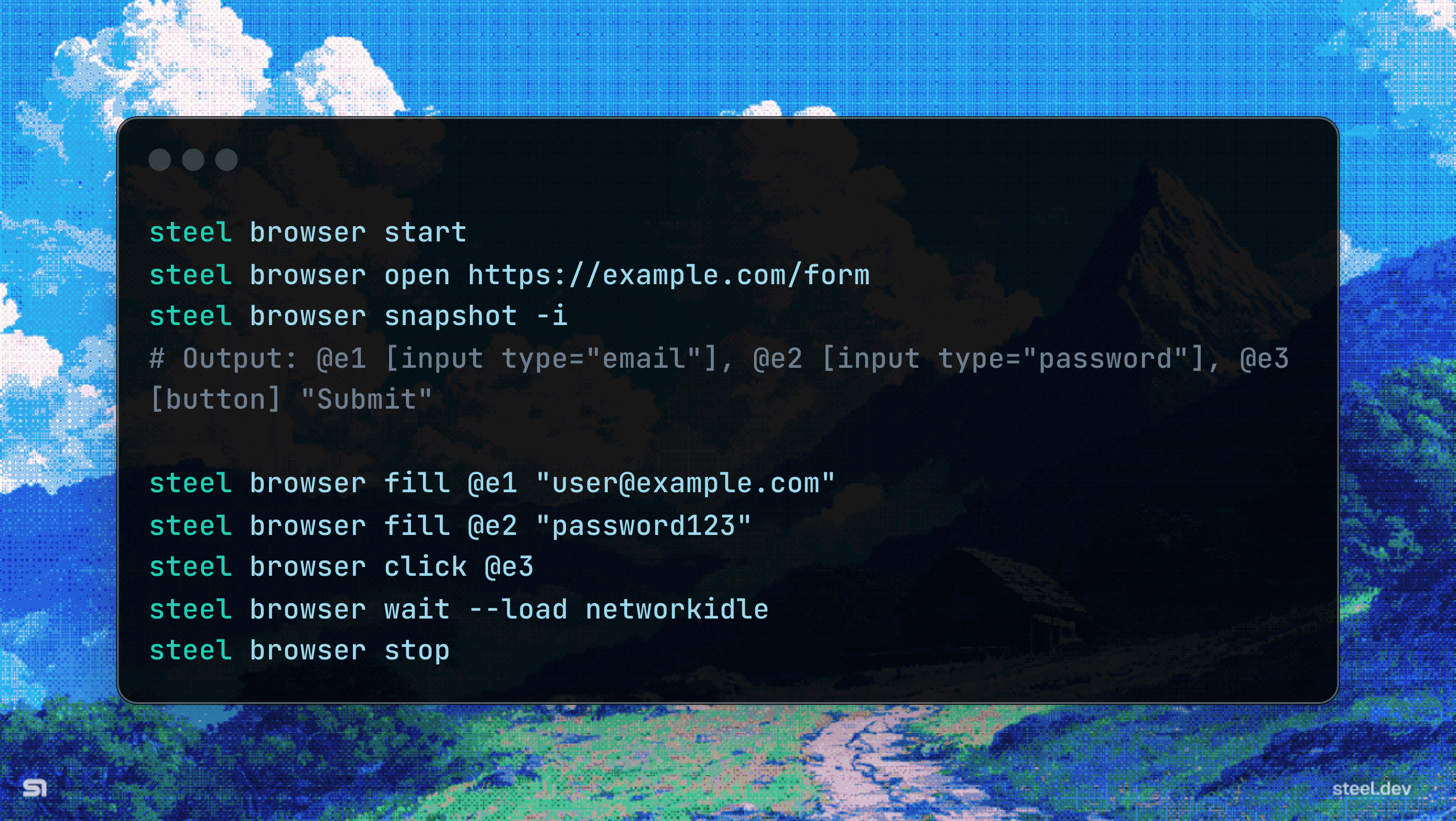
Passthrough commands for agent browser actions
The steel browser command forwards inherited from awesome agent-browser actions with a command prefix swap, including open, snapshot, fill, click, and wait.
Local runtime now lives under steel dev
Local runtime orchestration is now explicit and separate:
steel dev install: install dependenciessteel dev start: start local runtimesteel dev stop: stop it
This makes it easier to develop and debug workflows locally, then run the same shape of workflow in the cloud.
Get started
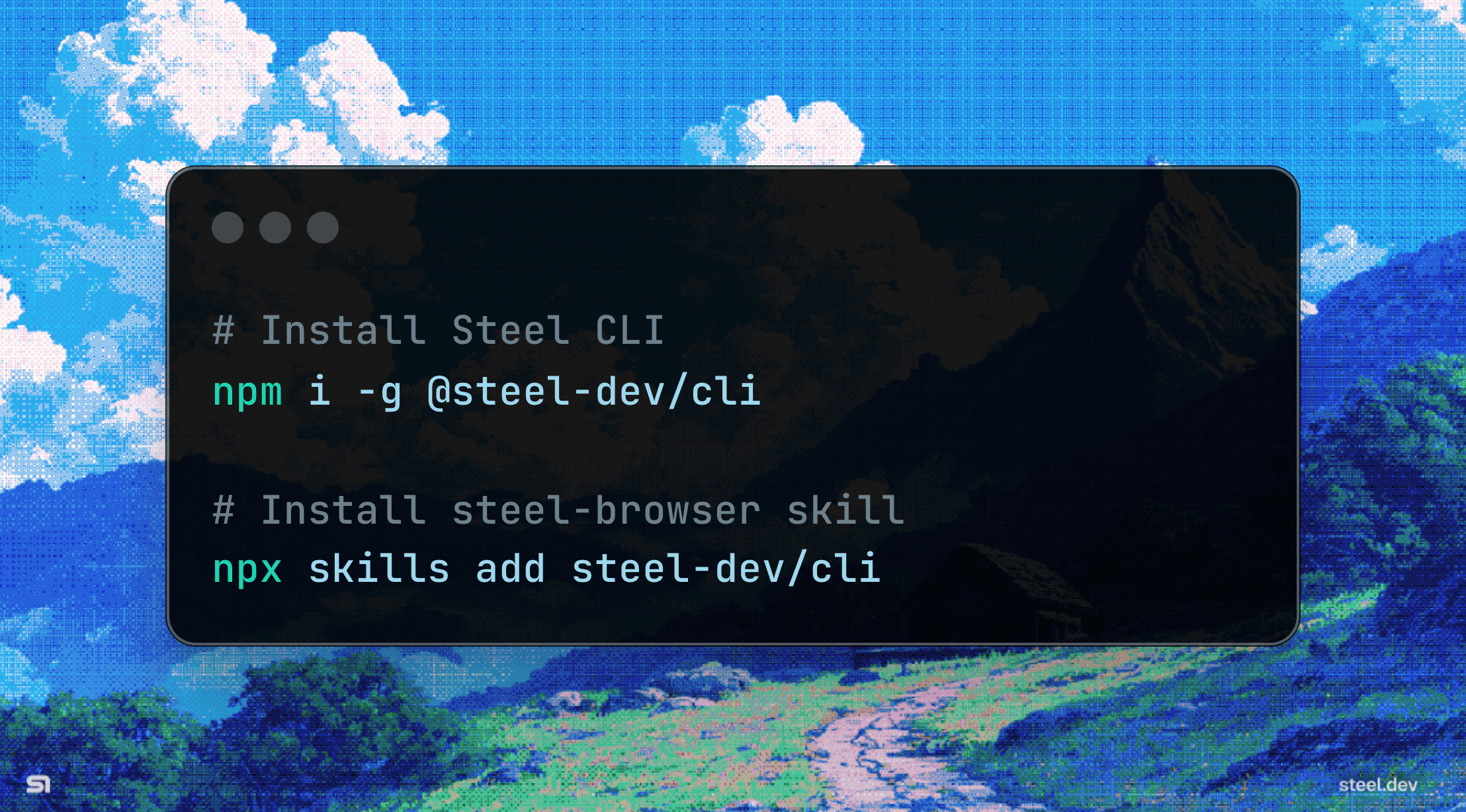
# Install and auth
npm i -g @steel-dev/cli
steel login
Full command reference: Steel CLI docs.
Install the skill
Available in the CLI repo's skills package or via skills.sh:
npx skills add steel-dev/cli --skill steel-browserWhere this helps
This is not about browsing for its own sake. It is about unlocking agents and workflows where the web is the source of truth.
- Competitive research with verifiable screenshots
- Lead enrichment from JavaScript-heavy sites
- Bug reproduction with session recordings
- QA testing on live interfaces
- Compliance documentation captured as PDFs
- Data extraction from gated portals
Give your agent a real browser
Run one real workflow. Tell us what worked and what didn't.
Join our Discord and share your experience with the new skill and CLI.