
We shipped @steel-dev/pi-steel, a one-command Steel extension that gives the Pi coding agent a real cloud browser.
We shipped @steel-dev/pi. One install command, and the Pi coding agent gets a real cloud browser: navigate, scrape, screenshot, PDF, fill forms, extract structured data, drive the page with Playwright computer actions. CAPTCHA handling is baked in, which was the part we thought would be annoying and mostly wasn't.
pi install npm:@steel-dev/piThat's it. Pi picks up the extension and the browser tools show up on the next run.
Grab a free API key at app.steel.dev and set STEEL_API_KEY (or run steel login).
Why we built it
Pi is a minimal coding agent, the one behind OpenClaw. It's extension-first: no built-in browser, no built-in anything. You add capabilities with pi install, and that's the socket Steel plugs into.
Setting up Playwright and managing headless Chromium just so your agent can read a webpage is a tax nobody really wants to pay. If you're on Pi or OpenClaw, pi-steel hands you a browser without any of that.
What it gives Pi
The tools we wired up, roughly in the order you'll reach for them:
steel_navigate+steel_scrapefor fetching pages as text, markdown, or HTML- screenshots and PDFs, returned as Pi artifacts
steel_extract, which takes a JSON schema and returns structured data. Worth it anytime you'd otherwise be parsing markdown for prices or specssteel_fill_formfor submitting forms- Playwright-backed computer actions (click, scroll, type) for the pages scraping can't reach
- session management: one per prompt by default, or pin with
steel_pin_sessionto keep a browser alive across prompts, or flip to persistent withSTEEL_SESSION_MODE=session - CAPTCHA handling, automatic
We didn't tell LLM when to use which tool. It just tries something, sees what comes back, and adjusts. Watching that loop run on medium reasoning is a decent chunk of what makes this extension interesting.
Proof: two tasks, two blockers handled
Apple.com: multi-page scraping and dynamic content
Visit apple.com and compare me all recent MacBook models.
No sitemap. No hardcoded URLs. Pi read the Mac lineup page, followed the links to each model (MacBook Neo, Air 13", Air 15", MacBook Pro), and built a comparison across the lineup. Plain scraping missed chunks (sticky nav, viewport-dependent sections, Apple's usual marketing theater), so Pi switched to computer actions and screenshots to see what was actually rendered and pulled specs from there.
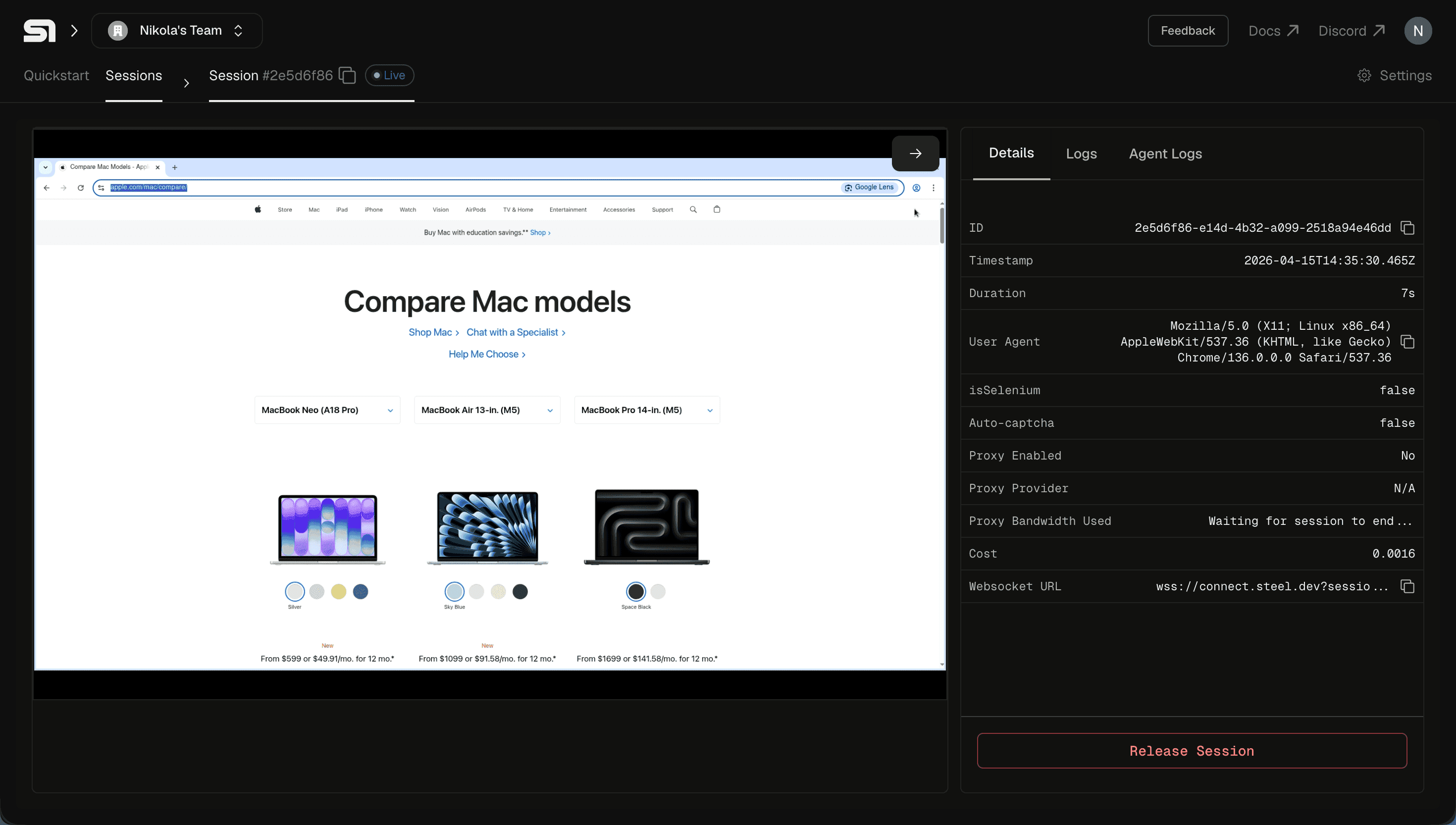
Not training data. Whatever Apple.com had up that day.
OpenAI docs: getting through bot protection
Visit OpenAI docs and tell us how can we use the latest model.
OpenAI's docs push back on scrapers. Even Codex, OpenAI's own CLI agent, ships dedicated tools just to fetch them, because the usual approach tends to fail. Steel handles the bot-protection layer, so Pi just sees a webpage.
Pi found the Responses API create endpoint, poked at reasoning effort configuration, and came back with a current code example: Responses API, not the chat completions snippet you'd get from asking a bare LLM the same question.
If you've ever had an agent confidently hand you last year's API, you know why this one mattered to us.
What to build with it
The stuff we actually think people will do, not the stuff that sounds cool in a blog post:
- hit a competitor's pricing page every morning and diff yesterday's numbers
steel_fill_formagainst an application portal you'd otherwise do by hand- open-six-tabs research tasks, handed off
- any Pi or OpenClaw workflow currently stuck at "I need to look at a webpage"
Because this is just an extension, the browser is one tool among Pi's others. Scrape a page in one step, call something completely different in the next.
Try it
pi install npm:@steel-dev/piPick a research task and let Pi do the clicking. Go crazy, report back.