
Agent Traces records every browser-agent session as a replayable timeline. Inside the rebuild, and why intent is what agent observability still has to solve.
Agent Traces records what a browser agent actually did during a browsing session: every click, keystroke, and navigation, captured as a readable timeline and as a document you can hand to another agent to replay the same task.
It started as a side effect of a different problem
I was trying to extract reusable skills from real browser sessions. Give the agent a task, let it figure out the path, then turn that path into something another agent could replay. We'd been kicking the skill idea around inside Steel for almost a year, long before the current wave of skill formats. Every time I sat down to actually build it, I hit the same wall: I didn't have enough signal in the session.
What I had was Agent Logs. Agent Logs was the v0 of all this. It captured raw CDP events as they flew past, click, type, navigate, and stored them as a flat list. A click row told you a click happened at some coordinates. It didn't tell you what was clicked. Typing showed up as N rows of single-key events. There was no "the agent typed an email into the email field," because there was no notion of fields. Just coordinates and key codes.
You can't generate a reliable skill from that. You can replay it on the same page at the same viewport, but it breaks as soon as the layout shifts.
So I rebuilt it from the capture layer up.
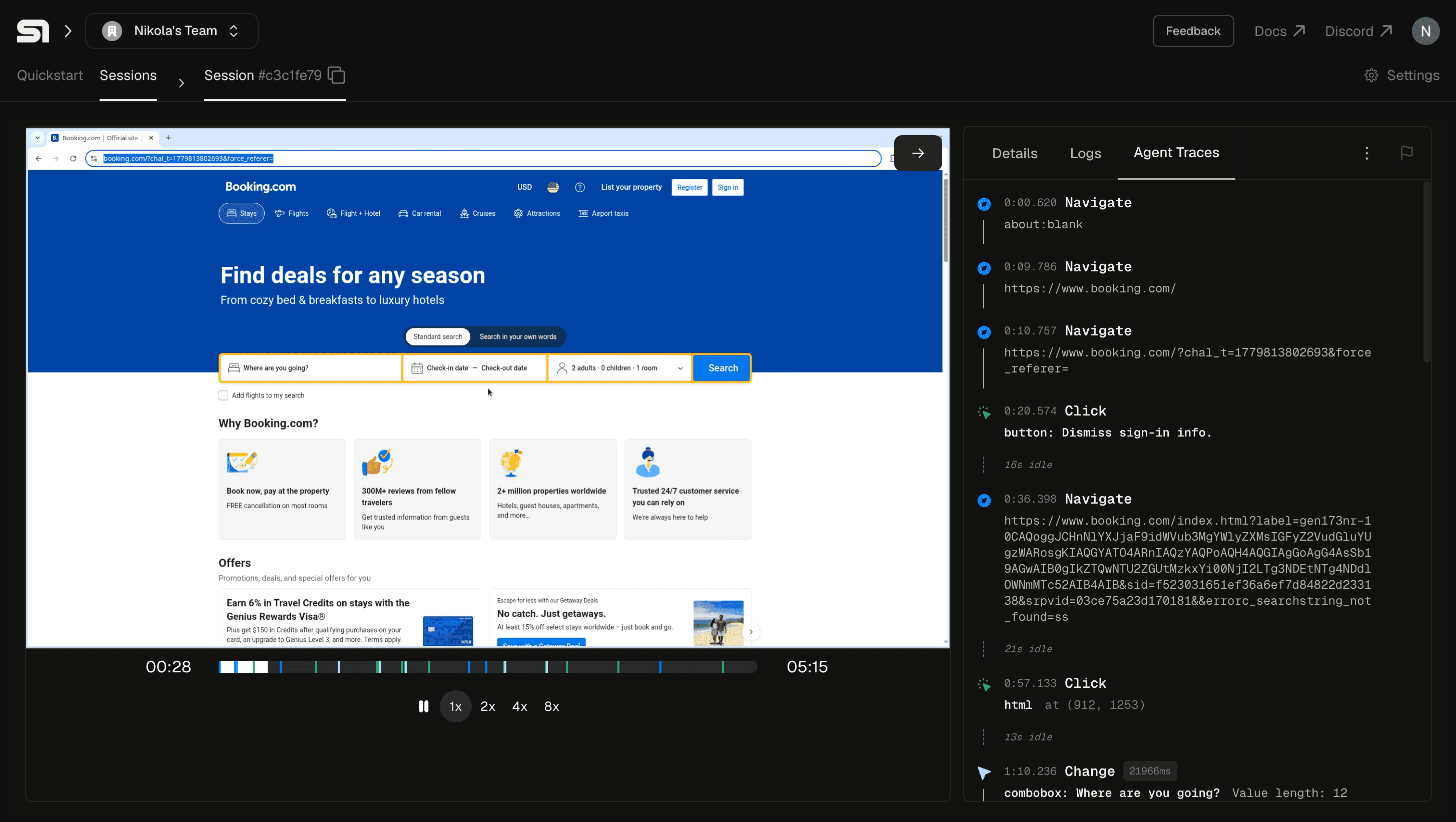
Instead of scraping CDP, capture the page
The first instinct was the lazy one. We were already proxying every CDP event. Why not, when a click fires, send another CDP command back to the page to ask what element lives at those coordinates?
I tried. It works, technically. It's also slow enough that the timeline drifts under real load, and slow enough that you start missing the second event in a burst. CDP round-trips are not free, and adding one to every interaction turns the capture path into a bottleneck.
The fix was to move the point of capture into the page itself. Now each interaction is recorded the moment it happens, with the context only the page has at that instant: what the element actually was, the name a person would use for it, a few stable ways to find it again, and where it sat on the page. That's the difference between "a click landed at (x, y)" and "the agent clicked the Sign in button."
Everything else in the product is downstream of that. The readable timeline, the frame-accurate seek, the markdown export. All of it works because the capture point moved from outside the page to inside it.
It was harder to ship than I'd guessed. The injection has to survive navigations, weird frame contexts, and the various ways pages try to defend themselves against scripts they don't recognize.
Collapsing is opinionated
Raw events are the source of truth, and we keep them. But the raw stream is just a log, and a log of human-shaped activity is unreadable.
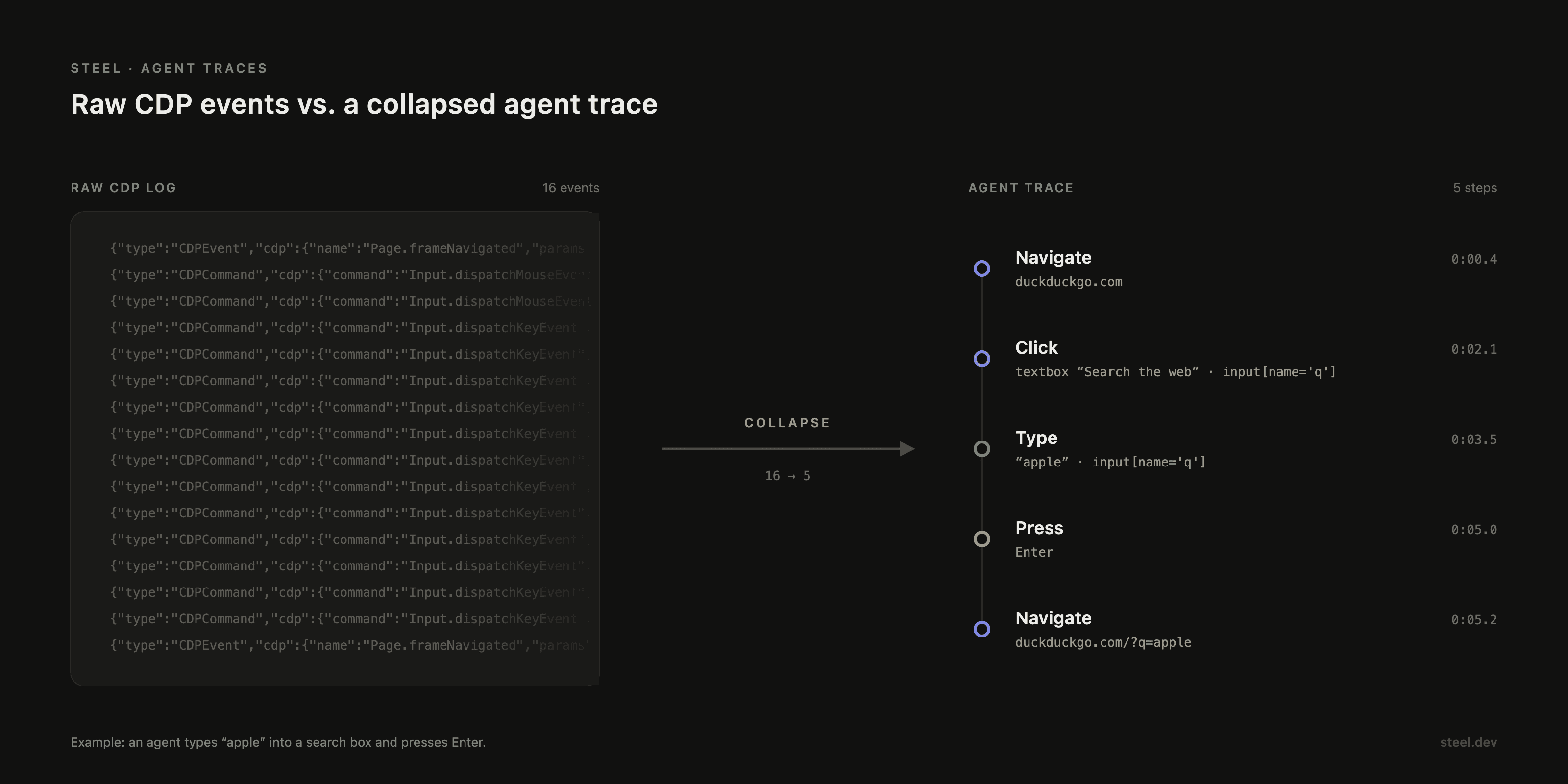
When you type the word apple, that's five separate input events, one per character. Storage keeps all five. The trace layer collapses them into a single input(len=5) row against the email field. Two clicks on the same element within half a second collapse into a double-click, because our capture stream sees individual clicks and we'd rather show the intent than two raw rows. Gaps over ten seconds become idle dividers, so a long pause doesn't disappear into whitespace.
The collapsing rules are opinionated. Aggressive enough to be readable, conservative enough that you can still drop into the underlying raw events when you need them. The boundary lives in the backend, not in storage, which means we can change our minds later without rewriting history.
A trajectory is one happy path
Here's the limit you hit fast: one trace is one path through the site.
If you take that single trace and try to turn it into a generalizable skill, you get a script that works on exactly the conditions you captured. The cookie banner you didn't see the second time. The A/B variant you didn't get. The retry the network didn't need.
It seems a handful of trajectories is sometimes enough to start generalizing from. The first bit of signal should come from the agents themselves: they need to tell us whether a run succeeded or failed. Once we have that, a stack of traces becomes more than just recordings. One thing we're looking at is stacking several runs of the same task to see where they line up and where they diverge. The parts that repeat are the reliable spine of a skill; the parts that vary are where it has to adapt.
The interesting work sits on top of that, and it only works if the capture underneath is faithful enough to trust.
A trace without intent can't teach an agent
The feature people keep grabbing onto is the markdown export.
Click a button, get a document built to paste into another agent: page headings, numbered steps, stable selectors per step, idle markers, redacted secrets. Paste it into Claude Code, Cursor or Codex and ask for a Steel script that reproduces the run.
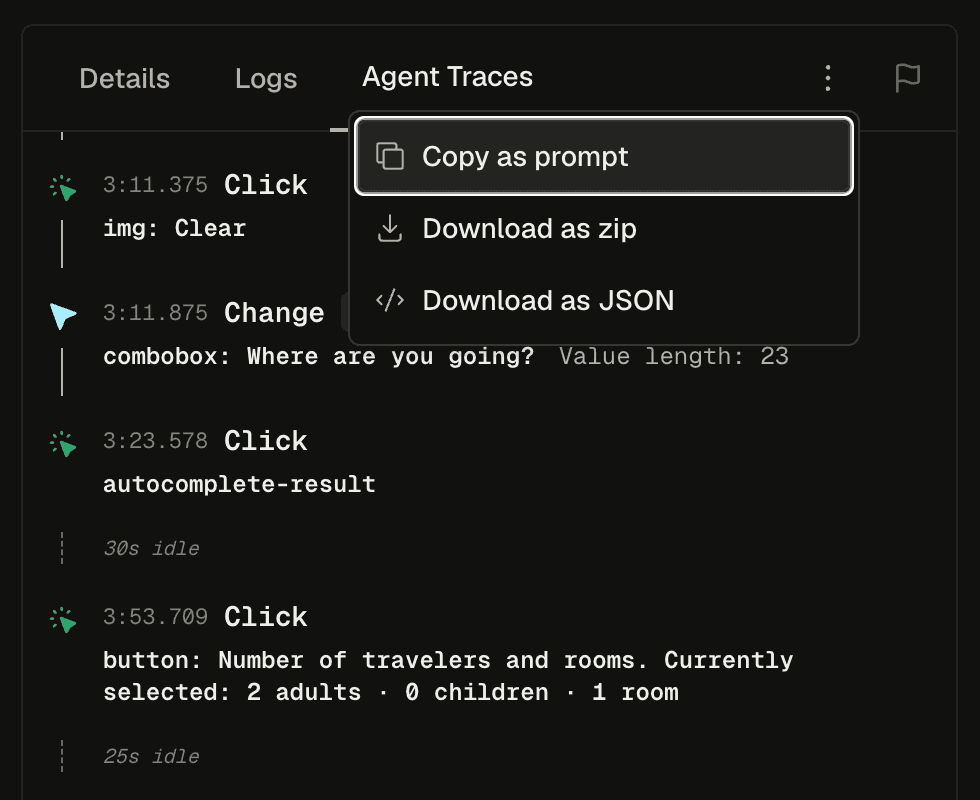
But what it gives you is the trajectory: the path the agent took, and nothing more.
The trace knows the agent clicked "Sign in." It doesn't know whether the agent meant to, or thought it was clicking something else, or which branches it weighed and dropped, or whether the run even worked.
That gap matters more than it looks.
A trajectory without intent is replayable but uneducable. Another agent can redo the exact steps, but it can't learn from them, because nothing in the trace records the reasoning that produced them.
This is the part of agent observability I think everyone is going to have to solve. Logs told us what a server did. Distributed traces told us how a request moved through a system. Agent traces have to go one further: capture not just what the agent touched but what it was trying to do, or they stay very detailed recordings of moves nobody can explain.
So that's what we're building next.
Try it
Agent Traces is live in the dashboard. Open any session at app.steel.dev and you'll find the Agent Traces tab in the session console, next to Details and Logs. Run a task, copy the session as markdown, paste it into your editor and ask for a script back.